What Is a PDF File? Your Simple Guide to the Portable Document Format
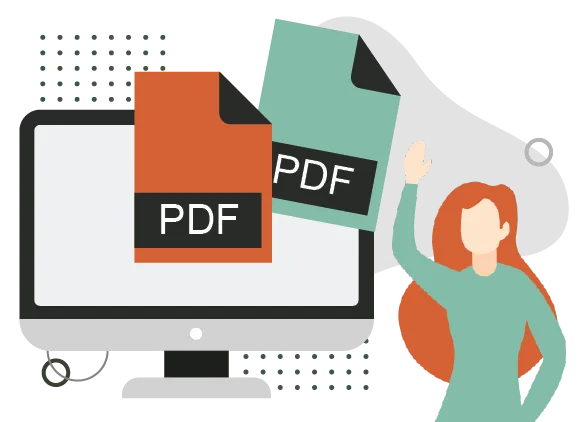
A PDF file, which stands for Portable Document Format, is a special type of digital document that looks exactly the same no matter what device, computer, or software you open it on. Created by Adobe in 1993, PDF uses the .pdf file extension and has become the worldwide standard for sharing reports, forms, ebooks, invoices, and contracts.
Anyone can view a PDF using free tools like Adobe Reader, web browsers, or built-in phone apps. It preserves fonts, images, layouts, and even interactive elements like fillable forms, making it reliable for both personal and professional use.
In a world full of different phones, tablets, laptops, and operating systems, documents often change appearance when shared — text shifts, pictures move, or formatting breaks. PDF solves this problem completely, ensuring everyone sees the exact same thing.
This reliability matters hugely for businesses, governments, schools, and everyday people. Over 2.5 trillion PDFs exist worldwide, with hundreds of billions created each year, and about 98% of companies use PDF as their main format for external sharing. It builds trust when sending important files because nothing gets lost or altered accidentally.
A Quick History of PDF
Adobe invented PDF in the early 1990s to make electronic documents portable across platforms. The first version appeared in 1993, and it grew popular because it fixed the chaos of sharing files between different computers.
Adobe made the format an open standard in 2008, so anyone could build tools for it without paying fees. Today, in 2026, PDF continues to evolve with better security, smaller files, and support for digital signatures, while staying backward-compatible with old versions.
Key Features of PDF Files
PDF works like a digital snapshot of a printed page. It stores everything — text, pictures, fonts, colors — in a fixed way so the layout never changes.
Important features include:
- Exact preservation of design, no matter the screen size or printer
- Security options like passwords, restrictions on printing or copying, and digital signatures
- Compression to keep files reasonably small
- Interactive elements such as clickable links, fillable forms, and embedded videos
- Searchable text in most cases, even if it started as a scanned image
Advantages and Disadvantages of PDF
PDF offers clear benefits but also some limitations.
Advantages:
- Looks identical everywhere — perfect for contracts, resumes, and reports
- Supports high-quality printing and professional output
- Built-in security features protect sensitive information
- Can combine text, images, forms, and more in one file
- PDF wins when fixed layout and reliability matter most.
Disadvantages:
- Harder to edit than Word documents (you often need special software)
- Files can get large if they include many high-resolution images
- Not ideal for heavy collaboration or frequent changes
When to Use PDF
Use PDF for:
- Sending official documents like invoices, legal papers, or ebooks
- Sharing resumes, presentations, or reports that need to look professional
- Archiving files for long-term storage
- Creating fillable forms or signed contracts
Avoid PDF or use alternatives when:
- You need easy editing (try Word or Google Docs instead)
- Working on collaborative projects with real-time changes
- File size is a big concern and content is simple text (plain text or HTML might work better)
PDF stands out as the trusted format for documents that must stay unchanged and look perfect on any device. Its combination of reliability, security, and wide support keeps it essential for work, school, and personal use in 2026 and beyond.
Compress large pdf files online to make them smaller or merge different pdf files into one for email or web sharing with Filesage.